
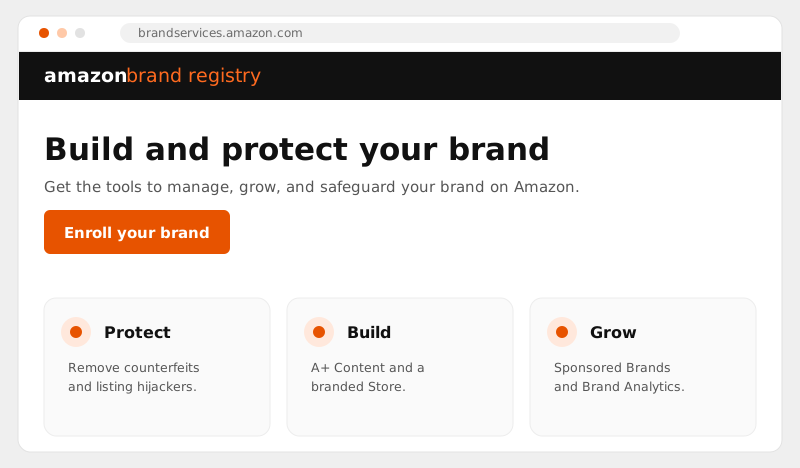
Amazon Brand Registry is a free Amazon program that gives trademark owners control over how their brand appears across the marketplace, plus access to A+ Content, Brand Stores, and tools that remove hijackers and counterfeits. To enroll you need an active or pending trademark. Below is exactly what it unlocks, the requirements, and how to get approved fast.
To enroll in Amazon Brand Registry in 2026 you need a registered trademark or a pending application (Amazon IP Accelerator works for new brands), a brand name that matches your mark, product or packaging photos showing that brand, and an active Seller or Vendor account. Enrollment itself is free and most approvals come through in days, not weeks. The step-by-step setup guide walks the whole process.
If you sell on Amazon without Brand Registry, you are playing defense with one hand tied behind your back. Anyone can edit your listing, piggyback on your detail page, or undercut you with knockoffs, and you have very little leverage to stop it. Enrolling flips that. You get full control of your own listings, a direct line to remove bad actors, and the premium content features that actually move conversion.
Key takeaways
- Cost: Brand Registry is free. The only spend is the trademark itself.
- Requirement: an active or pending trademark that matches your brand name or logo.
- Timeline: the application takes about fifteen minutes, with approval usually within a few days.
- Unlocks: A+ Content, a Brand Store, Sponsored Brands, Brand Analytics, and listing control.
- Protection: Report a Violation, Transparency, and Project Zero remove counterfeits and hijackers.
What is Amazon Brand Registry?
Brand Registry is Amazon's program for verified brand owners. Once Amazon confirms you own the trademark for your brand, you are recognized as the authority on your products. That recognition is what powers everything else: editing rights, content tools, and enforcement.
It is important to know that brand registry amazon enrollment is completely free. Amazon does not charge for the program. The only real cost is the trademark itself, which you register through your country's trademark office, or recover through Amazon's IP Accelerator if you do not have one yet.
What Brand Registry unlocks
The value is not just protection. Brand Registry opens the features that separate a polished, high-converting brand from a generic listing. Here is what you get access to once you are enrolled.
| Feature | What it does for you |
|---|---|
| A+ Content | Rich image-and-text modules on your detail page that lift conversion and reduce returns. |
| Brand Store (branded storefront) | A free multi-page amazon brand store that acts as your mini-website and showcases your full catalog. |
| Sponsored Brands & Video | Premium ad formats with your logo and custom creative, only available to registered brands. |
| Brand Analytics | Search term, demographic, and competitor data you cannot see otherwise. |
| Listing control | Your content becomes the source of truth, so others cannot overwrite your titles, images, or bullets. |
| Enforcement tools | Report a Violation, Transparency, and Project Zero for fast counterfeit and hijacker removal. |
A well-built Amazon A+ Content and Brand Store design is often the single fastest conversion win we make for a new client, and none of it is possible without Brand Registry first.
Amazon brand registry requirements
The amazon brand registry requirements are straightforward, but the trademark piece trips up most sellers. Here is everything you need before you start, and what each item really means.
| Requirement | What it means |
|---|---|
| Active or pending trademark | A registered text or image-based trademark, or a pending application filed through Amazon's IP Accelerator (accepted in most marketplaces). |
| Trademark matches your brand | The name or logo on your products and packaging must match the trademark exactly, character for character. |
| Seller or vendor account | You enroll with the same account you sell on, and you must be able to verify you are the rights owner. |
| Branded product images | Clear photos of your products and packaging showing the brand name permanently affixed, not a sticker or a printed insert. |
If your logo is not permanently displayed on the product or packaging, enrollment can stall, so fix that before you apply.
How to enroll in Brand Registry
The enrollment flow takes about fifteen minutes once your trademark is in order. Work through it in the order below, and you will rarely hit a snag.
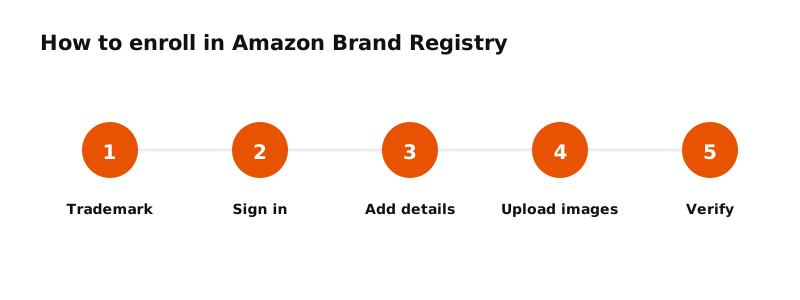
Step 1: Sign in to the Brand Registry portal
Go to the Brand Registry portal and sign in with the same seller or vendor credentials you already use to manage your account. Using the right login from the start keeps your brand, your catalog, and your permissions connected, which saves you from a messy re-link later.
Step 2: Enter your brand name and trademark details
Type your brand name exactly as it appears on the trademark, then add your trademark registration or serial number and select the office that issued it. Even a small spelling or spacing difference between your application and your trademark is the most common reason enrollments get held up, so check it twice.
Step 3: Upload your product and packaging images
Provide clear photos that show your brand name permanently displayed on the product and its packaging. Amazon uses these to confirm the trademark genuinely belongs to the goods you sell, so make the branding obvious and well lit rather than cropped or faint.
Step 4: List your categories and selling regions
Tell Amazon which product categories your brand sells in and the countries where it is manufactured and sold. This shapes where your protection applies, so include every marketplace you operate in or plan to expand into soon.
Step 5: Submit and verify ownership
Submit the application. Amazon sends a verification code to the contact listed on the trademark, usually the attorney or agent who filed it. Enter that code to confirm you are the rights owner. Make sure you can actually reach that contact before you apply, because this step stalls more enrollments than any other.
Most approvals land within a few days once the verification code is returned. If you sell across regions, you can extend protection to multiple marketplaces from the same enrollment, so there is no need to start over for each country.
Brand Registry and brand protection
Online brand protection is the reason most established sellers enroll. Brand Registry gives you a dedicated path to report listing hijackers, counterfeit sellers, and intellectual property infringement, and Amazon's machine-learning systems proactively scan for obvious abuse using the logos and keywords you provide.
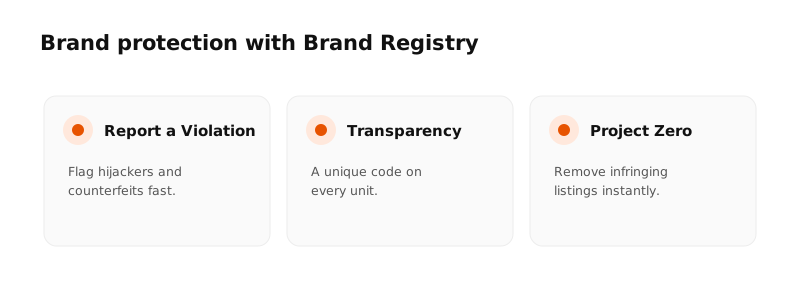
For amazon brand protection at scale, two upgrades sit on top of Brand Registry. Transparency applies a unique code to each unit so counterfeits are caught before they ship. Project Zero lets qualified brands remove infringing listings themselves, instantly, without waiting on a support case. Together they turn a reactive process into near real-time protection of your brand.
Enrolling is step one. The brands that win treat protection as an ongoing routine, monitoring listings weekly and acting on violations the same day.
Common reasons enrollment gets rejected
Most rejections come down to a handful of avoidable issues. Check these before you apply so you are not stuck in an appeal loop.
- Trademark name mismatch. The brand on your packaging does not exactly match the trademark text. Even small differences cause failures.
- Logo not on the product. Amazon needs to see the brand permanently displayed on the item or packaging, not just a sticker or insert.
- Wrong trademark type. Supplemental-register or unrelated marks may not qualify. A standard-character or design mark on the principal register is safest.
- Verification contact issues. The code goes to the trademark's listed agent or owner, so make sure you can reach that contact.
Turn Brand Registry into sales
Enrollment is the gate, not the goal. The brands that get the most out of it act fast on the growth features the moment they are approved. Three moves deliver the quickest return.
First, build a branded storefront. Your amazon brand store is a free, multi-page destination where you control the narrative, group products by collection, and send paid and external traffic without competitor ads cluttering the page. A clean store routinely lifts the average units per order because shoppers browse your full range instead of leaving after one product.
Second, roll out A+ Content across every listing. Replace plain bullet text with comparison charts, lifestyle imagery, and clear benefit modules. This is where you answer objections, show scale, and cut returns by setting accurate expectations before the buy.
Third, layer in Sponsored Brands and Brand Analytics. The ad formats put your logo at the top of search, and the analytics show you the exact search terms and shopper demographics driving your category, so your roadmap is built on data instead of guesswork.
Is Brand Registry worth it?
For any serious seller, yes. The program is free, it protects the catalog you have invested in, and it unlocks the content and ad tools that drive real growth. The trademark requirement is the only hurdle, and it pays for itself quickly through listing control alone.
If you want this set up correctly the first time, from trademark strategy through a fully built optimized Amazon listing and SEO and Brand Store, our team handles the entire process. Shaazford has managed more than $50M in client revenue, and getting brands registered and protected is one of the first things we lock down.